The photographic office of timeYour city · its storyAI reconstructions
TimeLens

THE PAST IS CLOSER THAN YOU THINK

Every place has a past.

One photo — three eras.

Photograph a building or street. We will find historical evidence and reconstruct the past using your camera angle, light and weather.

Street illustration demonstrating the interface
PREVIEWTIME / LENS
YOUR POINT IN TIME

What stood here
before us?

Point your camera at a building or street
One angle. One light.
Your window into the past
Explore your city with curiosityCamera → historical sources → a journey through time

FOUR STEPS THROUGH TIME

I

Photo

Camera or a photo from your gallery.

II

Place

Photo GPS or device location.

III

Sources

Evidence for each selected era.

IV

The past

Three reconstructions on a timeline.

PLAN YOUR JOURNEY

Which era?

Choose three years. We research the historical evidence for each one separately.

Saved on this device. Sign in to sync across devices.

If evidence for a selected year is insufficient, we will say so. Reconstructions are never presented as archival photographs.

YOUR PERSONAL ARCHIVE

Save your journeys.

Sign in with Google to return to your photos, eras and sources.

Loading…

How TimeLens works

  1. One photo and its location

    The site reads GPS metadata from your photo or requests your device location. You do not need to enter a place name.

  2. Finding historical evidence

    We identify the place from your photo and coordinates, research the three selected years and save the source links.

  3. Three reconstructions

    AI edits the original photo for each era, aiming to preserve the angle, light and weather. Perfect alignment and accuracy of every detail are not guaranteed.

Weather and light match your photo, rather than the actual weather on a historical date. Moving the timeline does not generate additional images.

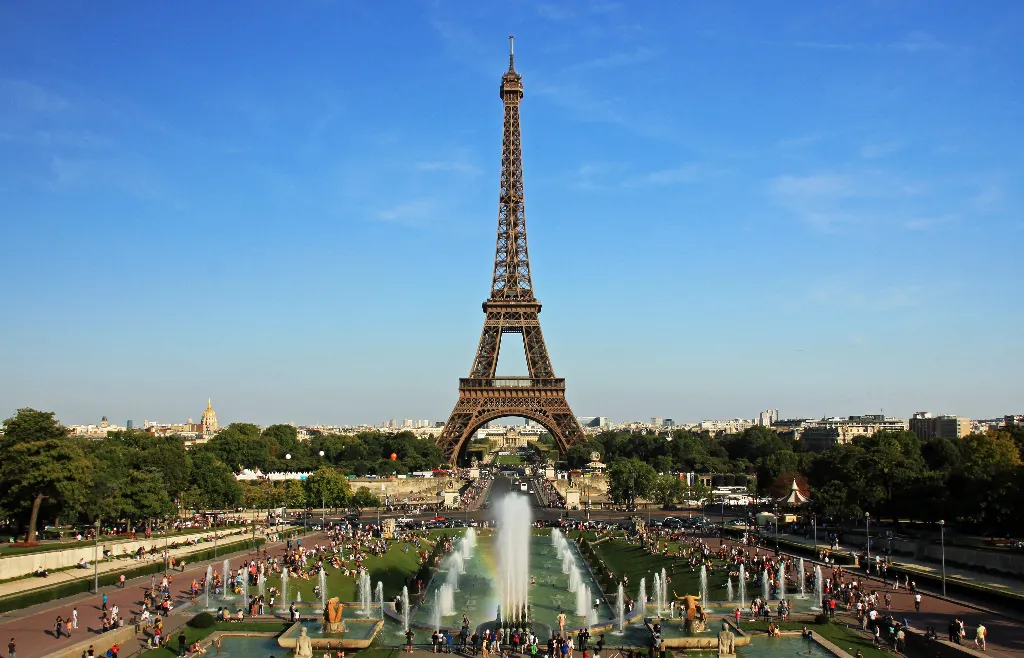
Sample photo: NonOmnisMoriar, Wikimedia Commons, 2011. CC BY-SA 3.0. GPS metadata was added from the author’s published coordinates.